|
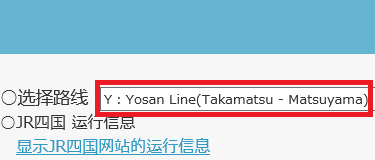
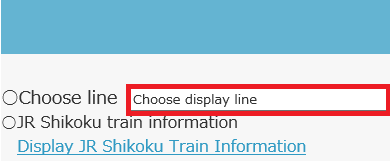
○选择路线 ①单击屏幕右上方的“ ②单击“要显示的路线”。
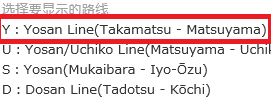
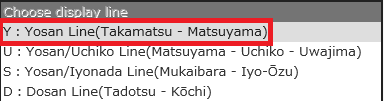
③选择要显示的路线。
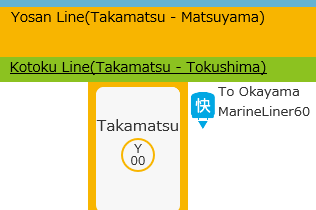
④显示点击的路线。
○列车种类 特快列车: 快速列车: 普通列车: 货运列车: 临时列车: 调头列车:
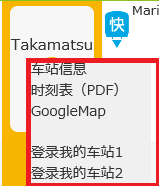
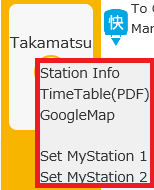
○显示各种信息 ・显示车站名的相关链接 当您单击车站名时,将显示以下弹出窗口。
车站信息:显示JR四国的车站信息页面。 ※仅在访问JR四国网站显示 时刻表(PDF):显示车站时刻表。
GoogleMap :显示GoogleMap。 登录我的车站:将选中的车站登录为我的车站。登录的车站在下次访问网站时会自动显示。选中“菜单”中的“移动我的车站”,将其移动至登录的车站。
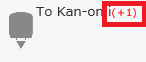
・列车信息 显示晚点 在列车旁边以红色显示“(+○○)”。 显示示例: ※有些路线区段不出现晚点的情况。
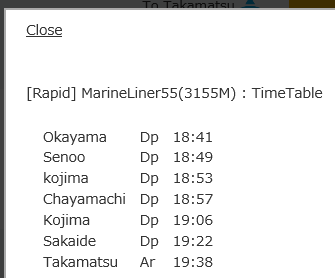
・显示选中的列车时刻表 ①单击目标列车。
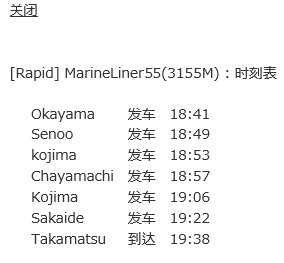
②显示列车时刻表。
※可通过单击黑色外框关闭时刻表。
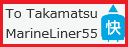
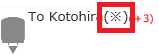
・周六及休息日目的地不同的列车 周六及休息日目的地不同的列车上会显示“
时刻表中还会显示警告。
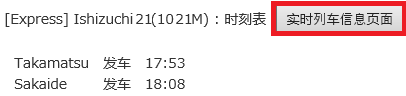
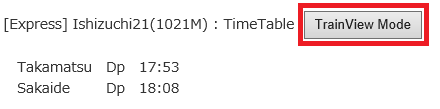
○显示实时列车信息页面 在实时列车信息页面显示中,列车开车或通过车站的瞬间,显示会更新,给您带来仿佛正在乘车的感觉。 (※仅适用于特快列车和快速列车Marine Liner号) ①点击时刻表中的“实时列车信息页面”。
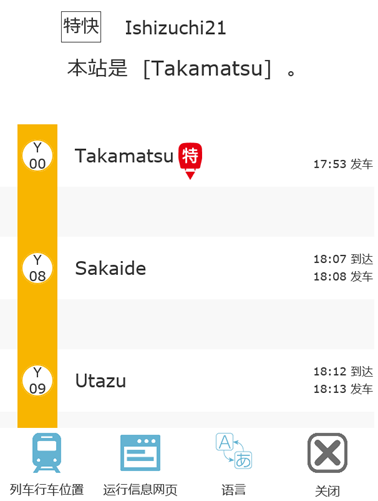
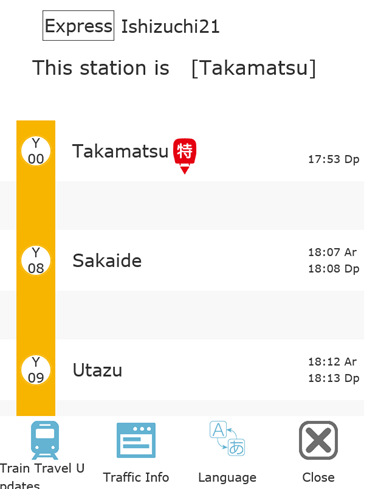
②显示实时列车信息页面。
|
○Display Line ①Click「 ②Click "Choose display line".
③Select the line you want to display.
④The line you clicked will be displayed.
○Train type limited express train: rapid train
: local train
: freight train
: special
train : service train
:
○Display information ・Display about station name click When you click on a station, the following pop-up will appear.
Station Info:The station information page of JR Shikoku is displayed. ※Display only if it exists on the JR Shikoku website TimeTable(PDF): Display the timetable of the station.
GoogleMap:Display Google Map. Set MyStation:The clicked station is registered as My station. The station you registered will be displayed automatically the next time the site is displayed. Also, if you click "Move My Station" in "Menu", you will move to the registered station.
・Display about train Display of delay It will be displayed in red as "(+○○)" next to the train. Display
example: ※ There is line ward where part, late time do not appear. Timetable display of the clicked train
・Timetable display of the clicked train ①Click the target train.
②The train timetable is displayed.
※ Timetable can be closed by clicking the black frame.
・Saturday, holiday destination wrong train "
Also, a warning will be displayed on the timetable.
○TrainView Mode In the TrainView Mode display, the display is updated at the timing when the train departs or passes through the station, and you can feel the atmosphere of actually getting on the train. (※Only for limited express trains and MarineLiners.) ①Click “TrainView Mode” on the timetable.
②The TrainView Mode is displayed.
|